From Business Requirements to Custom CRM: How We Build Tailored Solutions with Twenty CRM
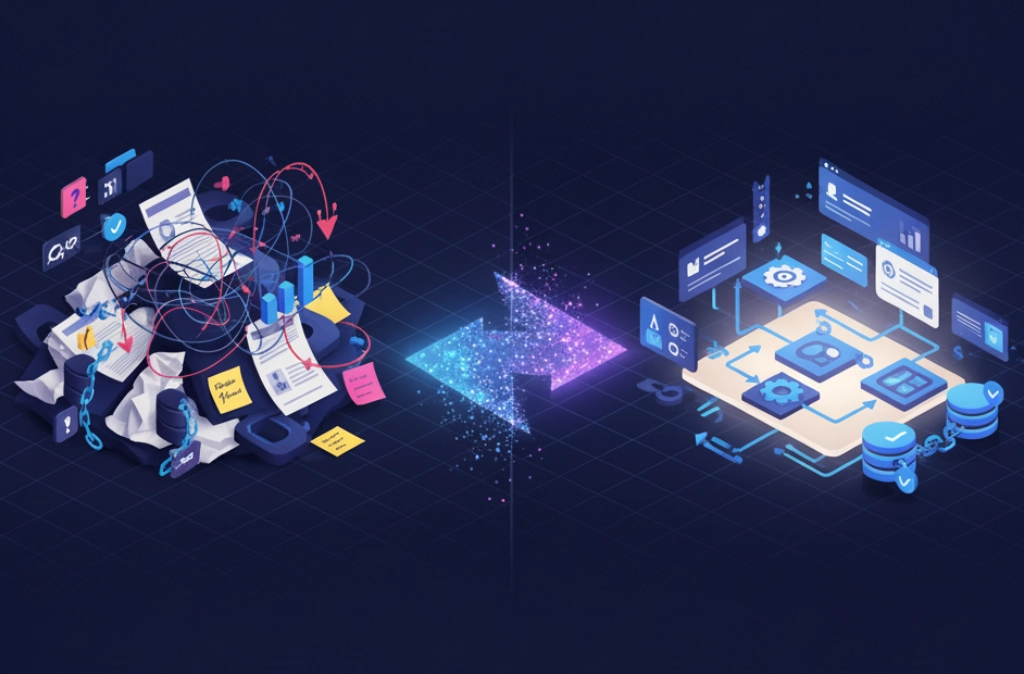
Every business has unique processes, workflows, and data requirements. Off-the-shelf CRM solutions often force you to adapt your business to fit their limitations. But what if your CRM could be built specifically for your business processes?
At ODEUO, we specialize in transforming your specific business requirements into fully customized CRM systems using Twenty CRM—an open-source, self-hosted platform that gives you complete control over your data and workflows.
The Problem with Generic CRMs
Traditional CRM platforms like Salesforce, HubSpot, or Zoho offer powerful features, but they come with significant limitations:
- Rigid data models that don't match your business
- Expensive customization that requires specialized consultants
- Vendor lock-in with your data trapped in proprietary systems
- Monthly per-user fees that scale exponentially
- Limited automation without expensive add-ons
For specialized industries like legal services, healthcare, or B2B SaaS, these limitations become deal-breakers.
Our Approach: Requirements → Specification → Implementation
We've developed a proven methodology for building custom CRMs that perfectly match your business needs:
Step 1: Discovery & Requirements Gathering
We start by understanding your business inside and out:
- Current processes: How do leads flow through your pipeline?
- Pain points: What's broken or inefficient in your current system?
- Data requirements: What information do you need to track?
- Team structure: Who needs access to what?
- Integration needs: What other systems must connect to your CRM?
For example, when working with law firms implementing AI automation, we discovered they needed to track:
- Client transformation phases (Discovery → Implementation → Go-Live)
- AI voice receptionist call records with sentiment analysis
- ROI metrics comparing pre/post automation performance
- Implementation project milestones and QA checkpoints
Step 2: Visual Specification with Mermaid Diagrams
Once we understand your requirements, we create detailed specifications using Mermaid diagrams—visual representations of your data model and workflows that are both human-readable and machine-executable.
Entity Relationship Diagrams (ERDs)
We map out your complete data model showing how different entities relate to each other:
Rendering diagram...
This diagram shows how a law firm account relates to contacts, projects, call records, and success metrics—all customized for the AI automation business model.
Workflow Diagrams
We visualize each business process as a flowchart:
Rendering diagram...
These diagrams become the blueprint for automated workflows that run 24/7 without human intervention.
Step 3: Custom Object Design
Based on your requirements, we design custom objects that match your business perfectly. Here's an example from our AI automation agency CRM:
Implementation Project Object
JSON{ "name": "Project", "fields": [ { "name": "projectId", "type": "id" }, { "name": "accountId", "type": "lookup", "target": "Account" }, { "name": "phase", "type": "select", "options": ["Discovery", "Configuration", "Testing", "Go-Live"] }, { "name": "status", "type": "select", "options": ["Not Started", "In Progress", "Completed"] }, { "name": "assignedEngineer", "type": "lookup", "target": "User" }, { "name": "qaScore", "type": "number" }, { "name": "goLiveDate", "type": "date" } ] }
Call Record Object (for AI Voice Receptionist tracking)
JSON{ "name": "Call Record", "fields": [ { "name": "callId", "type": "id" }, { "name": "accountId", "type": "lookup", "target": "Account" }, { "name": "duration", "type": "number" }, { "name": "purpose", "type": "select", "options": ["Intake", "Status", "Billing"] }, { "name": "outcome", "type": "select", "options": ["Appointment", "Message", "Transfer"] }, { "name": "sentiment", "type": "select", "options": ["Positive", "Neutral", "Negative"] }, { "name": "confidenceScore", "type": "number" }, { "name": "recordingUrl", "type": "url" } ] }
Step 4: Automated Workflow Implementation
We build intelligent automation that handles repetitive tasks:
Lead Qualification Automation
Rendering diagram...
QA & Go-Live Automation
Rendering diagram...
ROI Reporting Automation
Rendering diagram...
Step 5: Dashboard & Reporting
We create role-specific dashboards that give each team member exactly the information they need:
Sales Dashboard
- Pipeline by stage (Kanban view)
- Demo-to-close conversion rate
- Average time to close
- Qualified leads per week
Implementation Dashboard
- Active projects by phase
- QA scores and pass rates
- Days to go-live (target vs actual)
- Team utilization and bandwidth
Success Dashboard
- Account health scores
- ROI metrics by client
- Call volume and conversion rates
- Renewal pipeline and churn risk
Real-World Example: AI Automation Agency CRM
Let's look at a complete implementation we built for an AI automation agency serving law firms:
Business Requirements
- Track law firms through a 4-phase transformation journey
- Monitor AI voice receptionist performance with call analytics
- Measure ROI comparing pre/post automation metrics
- Automate onboarding, QA testing, and monthly reporting
- Identify upsell opportunities based on success metrics
Custom Objects Created
- Account (Law Firm) - 15 custom fields including AI Readiness Score, Implementation Phase, Monthly Service Cost
- Contact - 8 custom fields including Decision Maker flag, AI Adoption Sentiment
- Project - 12 custom fields tracking phase completion, QA scores, go-live dates
- Call Record - 8 custom fields for AI performance tracking
- Metric/KPI - 9 custom fields for ROI measurement
Automated Workflows Implemented
- Lead Capture & Qualification - Auto-enriches firm data, tags qualified leads, assigns to SDR
- Demo Booking - Sends calendar link, creates appointment, sends reminders
- Proposal to Close - Generates proposal, tracks e-signature, creates account on close
- Onboarding - Collects requirements, assigns engineer, tracks QA testing
- Go-Live - Monitors call quality, triggers retraining if needed
- Monthly ROI Reporting - Auto-generates reports, identifies upsell opportunities
- Renewal Management - Tracks contract end dates, triggers renewal sequences
Results
- 90% reduction in manual data entry
- Zero missed follow-ups with automated task creation
- 3x faster onboarding with standardized workflows
- 100% visibility into implementation progress
- Automated ROI reporting that used to take 4 hours per client
Why Twenty CRM?
We chose Twenty CRM as our platform for several compelling reasons:
1. Open Source & Self-Hosted
- Complete control over your data
- No vendor lock-in
- Transparent codebase you can audit
- Deploy on your own infrastructure
2. Unlimited Customization
- Add unlimited custom objects and fields
- Build any workflow you can imagine
- No artificial limits or paywalls
- GraphQL API for deep integrations
3. Cost-Effective
- No per-user licensing fees
- Predictable infrastructure costs
- One-time development investment
- Scales without exponential cost increases
4. Modern Technology Stack
- Built with React, Node.js, PostgreSQL
- RESTful and GraphQL APIs
- Webhook support for real-time integrations
- Mobile-responsive interface
5. Active Development
- Regular updates and improvements
- Growing community
- Professional support available
- Modern UI/UX that users actually enjoy
Our Development Process
Discovery & Specification
- Requirements gathering sessions
- Process mapping workshops
- Create Mermaid diagrams for data model and workflows
- Review and approval of specifications
Implementation
- Set up Twenty CRM instance
- Create custom objects and fields
- Build automated workflows
- Configure dashboards and reports
Testing & Training
- QA testing of all workflows
- User acceptance testing
- Team training sessions
- Documentation delivery
Go-Live & Support
- Production deployment
- Data migration (if needed)
- Post-launch monitoring
- Ongoing support and optimization
Pricing Model
Unlike traditional CRM implementations that charge per user per month forever, we offer:
One-Time Development Fee
- Based on complexity and number of custom objects
- Includes complete specification, implementation, and training
- Typical range: $1,000 - $3,000
Infrastructure Costs
- Self-hosted: $starting at $12.00/month (your own servers)
Optional Ongoing Support
- Monthly retainer for updates and enhancements
- Pay-as-you-go for new features
- No mandatory contracts
Getting Started
Ready to build a CRM that actually fits your business? Here's how we begin:
- Discovery Call (30 minutes) - Tell us about your business and current pain points
- Requirements Workshop (2 hours) - Deep dive into your processes and needs
- Specification Proposal - We deliver detailed Mermaid diagrams and implementation plan
- Approval & Kickoff - Review, refine, and begin development
Conclusion
Your business is unique. Your CRM should be too.
With Twenty CRM and our proven methodology, you can have a fully customized CRM system that:
- Matches your exact business processes
- Automates repetitive tasks
- Scales with your growth
- Costs a fraction of traditional solutions
- Gives you complete control over your data
Stop forcing your business to fit a generic CRM. Let's build one that fits you.
Ready to discuss your custom CRM project?